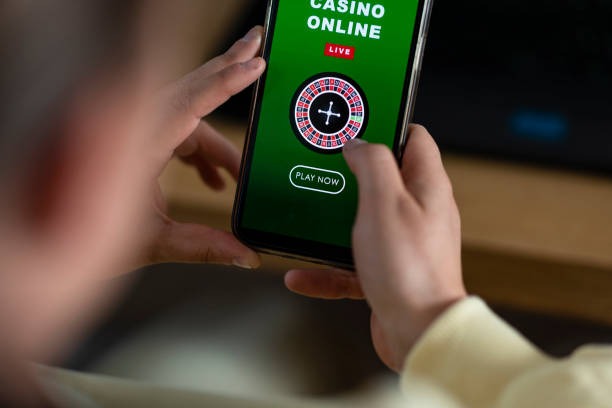
Download and Install erek 12
Platform Options
We at erek 12 support three installation paths. Android users can download our APK directly from our website and install it on devices running Android 7 or later. iOS users access erek 12 through a mobile-optimized web app in Safari or Chrome — no App Store listing required. Web users on desktop or tablet can use our responsive site without any download. All three paths connect to the same account, the same markets, and the same payment methods.
Installation Steps
Follow these four steps to get started on erek 12:
- Download the erek 12 APK (Android) or open our web app in your browser (iOS / web).
- Install the app or bookmark the web address for quick access.
- Create your account with username, email, password, and mobile number.
- Verify your email and SMS, then fund your account via DANA, e-wallet, mobile banking, or bank transfer.

App vs. Browser: Strengths of Each
Our native Android APK offers offline caching, so you can view recent odds and account history even without internet. Push notifications alert you to Liga 1 kickoff times, settlement results, and withdrawal confirmations. The app loads faster than a browser on slower networks and uses less data. However, the iOS web app and desktop browser are equally functional: they update in real time, support all payment methods, and require no installation. Choose the app if you want speed and notifications; choose the browser if you prefer simplicity and no storage footprint. Both connect to the same account and markets.
Device Compatibility
We at erek 12 support Android 7 and later on phones and tablets. iOS users need iOS 12 or later to access our web app. Desktop browsers (Chrome, Firefox, Safari, Edge) on Windows, macOS, and Linux all work without restriction. Older devices may experience slower performance or missing features, but the core sportsbook, live-dealer, and slot functionality remains available. If you encounter compatibility issues, contact our support team through your account dashboard.
Mobile-first design means faster load times, offline caching, and push notifications — all built into the erek 12 app experience.
Common Installation Issues
Android users may see a warning about "unknown sources" when installing our APK. This is normal: we do not distribute through the Google Play Store, so Android flags the installation as coming from an untrusted source. To proceed, go to your device settings, enable "Install from unknown sources" for our app, and retry. iOS users may see a certificate warning on first load. This is also normal: our SSL certificate is valid, and the warning is a browser security prompt. Tap "Continue" or "Visit this website" to proceed. If you see persistent errors, clear your browser cache and cookies, then try again. If the issue persists, contact our support team.
Data, Permissions, and Account Security
Our app requests permission to access your device's camera (for account verification photos), microphone (for live-dealer audio), and location (for jurisdiction compliance). We do not sell or share these permissions with third parties. All data transmitted between your device and our servers is encrypted using TLS 1.2 or later. Your account credentials are never stored on your device; you log in each session. Two-factor authentication (SMS or email) protects your account from unauthorized access. If you suspect your account has been compromised, change your password immediately and contact our support team. We monitor for suspicious activity and will alert you to any unusual login attempts or withdrawal requests.